
That is the frustrating part of customs operations. Your team may already have the shipment details in CargoWise, yet someone still has to check the data, look for invoice information, prepare the required details, and manage the next customs step and when you're handling shipment after shipment, those “small” manual tasks can pile up fast.
The question is: if the information already exists in CargoWise, why should your team have to keep finding and preparing it again?
This is where CargoWise and SARS integration can help. By connecting the relevant logistics data with the applicable customs workflow, businesses can create a smoother path from shipment operations to customs processing.
What does SARS Customs Mean for Logistics Businesses in South Africa?
When goods move across South Africa's borders, customs is a key part of the journey. The South African Revenue Service (SARS) Customs & Excise environment covers customs processes related to imports, exports, transit, goods declarations, tariffs, and other customs requirements.
For a logistics business, this means the information needed for customs does not exist in isolation. Much of it is connected to the shipment your team is already managing.
That is where CargoWise comes into the picture. Shipment details, customer information, cargo data, transport information, and commercial details may already be part of the operational workflow.
The challenge is making sure the relevant information is ready when the applicable SARS customs process requires it.
Why can Customs Processes Become a Challenge for Logistics Teams?
The problem is rarely just one customs task. A team may need to review shipment information, check commercial details, confirm invoice data, and make sure the required information is complete before moving forward. When this happens across a growing number of shipments, the process can become time-consuming.
And here's the tricky part: much of the information may already exist somewhere in the business.
The team is not always creating new information. Sometimes, they are simply:
Finding it → Checking it → Preparing it again → Moving it into another process
That repeated effort can create unnecessary pressure, particularly when customs requirements and shipment timelines need to stay aligned.
This is why connecting the workflow can be more valuable than simply adding another system.
When CargoWise and SARS Work Separately, Where does the Extra Work Come From?
Imagine your team is handling an import shipment. The shipment is already set up in CargoWise. The customer details are there. The cargo information is there. The transport details and commercial information may also be available.
Then comes the customs process.
Someone may need to go back into the shipment, find the relevant details, review the information, and prepare it for the next step.
Now imagine doing that across dozens or hundreds of shipments.
That's where the extra work starts to add up.
A disconnected workflow can look like this:
CargoWise → Search for Information → Check the Data → Prepare It Again → Customs Process
The issue is not necessarily the information itself. The issue is how many times your team has to touch that information before the process is complete. A better-connected workflow can reduce those unnecessary steps.
Bringing CargoWise and SARS into One Connected Customs Workflow
This is where integration changes the conversation. Instead of treating the CargoWise workflow and the customs process as two completely separate activities, the integration can create a connection between them.
The process can move more like this:
CargoWise
Shipment and operational information
↓
Validate the Required Data
↓
IntegrationGo
↓
Map and Prepare the Information
↓
Applicable SARS Customs Workflow
The exact flow will depend on the specific customs process being supported. Not every shipment requires the same information, and not every piece of CargoWise data needs to be exchanged.
That is why a good integration should focus on what actually matters for the workflow. The goal is simple: use the information your team already manages and prepare it for the customs process when it is needed.
What Shipment and Invoice Data Needs to be Ready for SARS?
Before information can move through a connected workflow, businesses need to understand what data is required.
Depending on the customs process, this may include:
- Shipment and reference details
- Import, export, or transit information
- Shipper and consignee details
- Cargo and commodity information
- Transport details
- Commercial and invoice information
- Customs values or tariff-related details
- Supporting document information
SARS Customs & Excise covers a range of customs processes and requirements, so the exact information depends on the applicable procedure. That is why businesses should avoid taking a one-size-fits-all approach to integration.
The real question is not, “Can we send all our CargoWise data?”
It is:
“What information does this customs process actually need, and is that information ready?”
That is where validation and data mapping become important.
Where does IntegrationGo Fit into the CargoWise and SARS Connection?
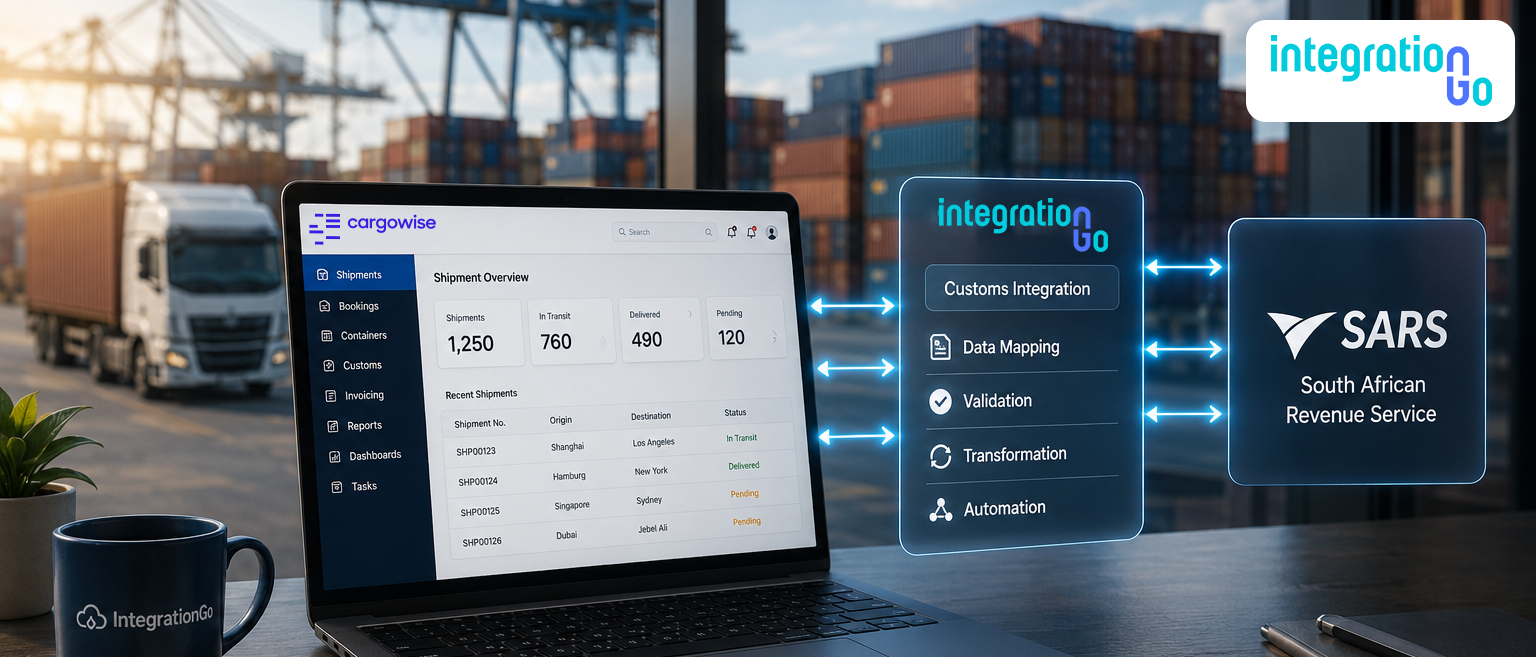
Think of IntegrationGo as the middleware layer that helps the two workflows communicate. CargoWise continues to manage the logistics and operational side of the shipment. The applicable SARS customs process continues to handle its customs requirements.
IntegrationGo sits between the two.
The flow can look like this:
CargoWise → IntegrationGo → Applicable SARS Customs Workflow
Within that connection, IntegrationGo can help:
- Validate the required information
- Map CargoWise data to the required structure
- Transform information where necessary
- Support the exchange of relevant data between the connected workflows
The important point is that the integration is not about replacing the systems your business already uses.
It is about reducing the gap between them.
How can Integration Reduce the Need to Manage Multiple Customs Workflows?
Let's be honest: logistics teams already spend enough time switching between systems.
The problem is not always that a business has too many platforms. Sometimes, the real problem is that those platforms operate like separate islands.
Your shipment is in one system.
Your customs activity is in another workflow.
Your team becomes the connection between them.
That means employees spend time finding information, checking it, and moving it from one process to another.
With a connected workflow, the process can become:
CargoWise → IntegrationGo → Customs Workflow
CargoWise does not replace SARS, and SARS does not replace CargoWise. Each continues to do what it is designed to do.
But your team does not have to manually act as the bridge every time information needs to move.
That can mean less duplicate handling and a simpler day-to-day workflow.
Getting Ready for a CargoWise and SARS Integration
Before building an integration, start with the process, not the technology.
Ask:
Which customs workflow are we trying to improve?
Once that is clear, review the information already available in CargoWise and identify what the relevant customs process requires.
From there, the integration can follow a practical path:
Identify the Customs Process → Review CargoWise Data → Identify Required Information → Define Data Mapping → Build the Integration → Test Real Scenarios
Testing should reflect the way your business actually operates.
Look at the shipment types your team handles regularly. Check where information is commonly missing. Review how invoices and supporting data are managed.
This helps build an integration around the real workflow instead of creating another process that employees have to manage.
Conclusion
When customs information and logistics operations live in disconnected workflows, the team often ends up doing the connecting manually.
A CargoWise and SARS integration can help change that.
With IntegrationGo acting as the connection layer, businesses can create a more streamlined path between CargoWise data and the relevant customs workflow, helping reduce repetitive manual work and making information easier to prepare when it matters.
Want to simplify the way your CargoWise workflow connects with your SARS customs processes? Contact us about building an end-to-end CargoWise integration around your logistics operations.