
A shipment can be ready to move, but one thing can still hold the process up: getting the right information into the right customs channel at the right time.
Your team may already have the shipment, cargo, customer, transport, and commercial details in CargoWise. Yet when that information needs to be submitted through New Zealand’s Trade Single Window (TSW), additional checking, preparation, and data handling can still enter the picture.
For one shipment, that may be manageable, but across hundreds of transactions, those small manual steps can become a real operational burden.
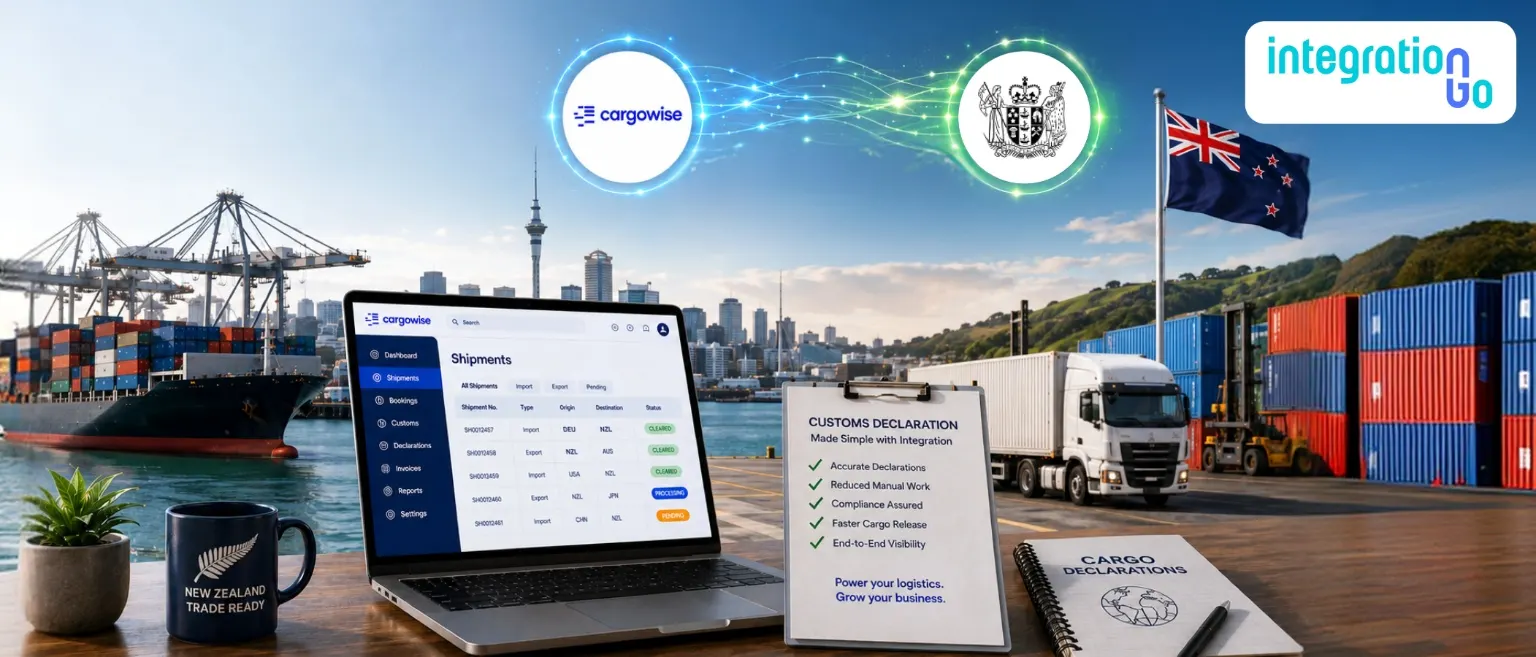
That is where connecting CargoWise with TSW can make a difference, creating a more connected way to move relevant customs and cargo information from the logistics operation to the electronic submission process.
What is TSW and How does it Support New Zealand Customs?
Trade Single Window (TSW) is New Zealand’s electronic channel for cargo and excise industries to submit information to and receive responses from border agencies, including New Zealand Customs Service (NZCS), the Ministry for Primary Industries, Maritime NZ, and the Ministry of Health.
TSW supports the submission of cargo and craft reports, clearance requests, and excise declarations, known as lodgements. Businesses such as importers, exporters, freight forwarders, shipping lines, and airlines can use the system for relevant transactions.
Depending on the process, TSW can support:
- Import declarations
- Export declarations
- Inward and outward cargo reports
- Excise declarations
- Cargo and craft-related submissions
The important distinction is that TSW is the electronic channel for exchanging this information with border agencies. It is not the middleware connecting a company's internal systems.
That role can be handled by an integration layer such as IntegrationGo.
Understanding CargoWise and its Role in Import and Export Operations
CargoWise is a global logistics execution platform and ERP solution designed to support complex logistics, freight forwarding, customs, and supply chain operations.
For import and export teams, CargoWise can bring many of the details required to manage shipments into one operational environment.
Depending on the business's configuration and capabilities being used, this can include:
- Freight forwarding and shipment management
- Import and export operations
- Customs and compliance
- Cargo and commodity information
- Customer, shipper, and consignee details
- Transport and routing information
- Commercial and invoice information
- Documentation and operational records
CargoWise also provides customs capabilities for automating and managing import and export declarations, supporting data exchange with government authorities, validating information, and maintaining customs-related information.
For New Zealand, CargoWise specifically states that its customs solution has direct links to the Trade Single Window, including electronic transmission of import and export transactions and air and sea import cargo information.
This makes CargoWise an important source of operational information when looking at a connected customs process.
Where does the Manual Work Start?
Here's where things can get frustrating.
The shipment is already in CargoWise. The customer details are available. Cargo information is available. Transport and commercial information may already be recorded.
But when another customs or cargo process needs that information, users may still need to review the record, check mandatory details, prepare the information, and manage the submission.
The process can become:
CargoWise → Find the information → Check it → Prepare it → Submit → Wait for a response
One transaction may not seem like much.
But repeat those steps across a growing number of declarations and cargo reports, and the workload starts adding up.
The problem isn't always that the business lacks data.
The problem is that the data may not be moving through the process as efficiently as it could.
Connecting CargoWise Data with TSW Declarations
A connected approach can create a clearer path between CargoWise and TSW.
The basic architecture can look like this:
CargoWise
Logistics and shipment data
↓
IntegrationGo
Connect → Validate → Map → Transform
↓
TSW
Electronic submission channel
↓
NZCS / Relevant Border Agencies
Processing and response
This distinction matters.
IntegrationGo acts as the middleware layer. It connects the business system with the external process and helps manage the movement, validation, mapping, and transformation of information.
TSW acts as the electronic channel through which the relevant information is submitted to border agencies and responses are received.
NZCS provides three main ways to submit information to TSW: direct connection, a messaging service provider, or TSW Online. With a direct connection, businesses can send lodgements to TSW and receive responses through the same connection. A messaging service provider can also carry lodgements and responses and, in some cases, transform client data into the required format.
What CargoWise Information can Support TSW Submissions?
The exact information depends on the type of TSW lodgement being submitted.
Relevant CargoWise information may include:
Shipment information
Shipment references, parties, routing, and other operational details.
Cargo information
Consignment details, commodity information, quantities, weights, and other applicable cargo data.
Transport information
Relevant vessel, voyage, air, sea, or other transport details.
Commercial information
Invoice and transaction information required for the applicable declaration.
Customs information:
Information needed for the relevant declaration, clearance, or compliance process.
NZCS provides technical reference documents for different TSW messages, including import declarations, export declarations, inward cargo reports, outward cargo reports, and other submissions.
So an integration should not simply move every available CargoWise field.
It should identify what the specific TSW process requires, validate the relevant information, and map it into the appropriate message structure.
How does IntegrationGo integrate CargoWise with TSW for Customs and Cargo Declarations?
This is where IntegrationGo serve as the middleware layer between CargoWise and TSW.
A typical integration can follow this path:
CargoWise
↓
IntegrationGo
Extract → Validate → Map → Transform
↓
TSW
↓
NZCS / Relevant Border Agency
↓
Response
↓
IntegrationGo → Connected CargoWise Process
IntegrationGo can help businesses manage the connection by:
- Extracting relevant information from CargoWise
- Validating required data
- Mapping CargoWise fields to the required message structure
- Transforming information where necessary
- Supporting electronic data exchange
- Handling relevant responses and exceptions
The goal isn't to add another manual process for the logistics team.
It's to connect the systems the business already relies on.
CargoWise can remain the operational environment for managing logistics activities, while IntegrationGo provides the middleware layer that connects the relevant information to the TSW process.
From Manual Handling to a More Connected Customs Process
The difference becomes clearer when you compare the two approaches.
A disconnected process
CargoWise → Manually collect data → Re-enter or prepare information → TSW → Check response → Update records
A connected process
CargoWise → IntegrationGo → TSW → Response → Connected process
This can help reduce repetitive work around:
- Data entry
- Information checking
- Data preparation
- System switching
- Manual handoffs
- Response management
For businesses handling growing shipment volumes, reducing these repeated tasks can make the customs process easier to manage and scale.
The objective isn't simply to make customs processing faster.
It's to make the movement of accurate information more connected and less dependent on repetitive manual work.
What Should Logistics Businesses Check Before Starting?
Before building an integration, start with the business process rather than the technology.
Ask:
Which TSW lodgements do we need to support?
Then review:
- What information is already available in CargoWise?
- Which fields are required for each TSW message?
- How should CargoWise data be mapped?
- What validation rules are needed?
- How should missing or incorrect information be handled?
- How should TSW responses return to the operational process?
- Which TSW connection method fits the business?
NZCS's current guidance provides direct connection, messaging-service-provider, and TSW Online options. TSW Online is generally suited to lower-volume submissions, while system-to-system approaches can support electronic exchange at scale.
A practical implementation can therefore follow:
Identify the Process → Review CargoWise Data → Define Requirements → Map the Data → Build the Connection → Test Real Transactions → Monitor the Process
This keeps the integration focused on the actual customs and logistics operation.
Conclusion
When customs and cargo information already exists in CargoWise, manually moving that information into another process can create unnecessary work.
Connecting CargoWise with TSW through an integration layer can create a more structured path for preparing, submitting, and managing relevant customs and cargo information in New Zealand.
With IntegrationGo as the middleware layer, logistics businesses can connect CargoWise with TSW while keeping their existing logistics operation at the center of the process.
Still moving customs data between systems manually? Contact us today to discuss your CargoWise and TSW requirements and explore how IntegrationGo can build a connected integration around your New Zealand customs operations.