
The containers have sailed. The trucks have delivered. Customs entries are filed, and shipments have reached their destinations. But the financial side of those moves is still keeping your accounts team busy.
Carrier invoices are arriving late. Overseas agent statements need checking. Some shipment costs haven't been finalized, and customer invoices need reconciling. Your finance team has to bring all these transactions together before closing the month.
Here's where things get complicated. CargoWise holds your shipment and job-related financial information, while Sage 50 manages your accounting records. When these systems operate separately, your team becomes responsible for moving information between them.
The result? More data entry, additional reconciliation, and longer closing cycles. But with the right integration, you can make this process much easier to manage.
What Makes Month-End so Challenging for Freight Finance Teams?
Freight accounting isn't as simple as recording a few invoices and checking payments. A single shipment can involve multiple service providers, different currencies, and charges that arrive at different stages of the shipment.
Take an ocean import job. Your team may need to account for ocean freight, BAF, terminal handling, customs brokerage, drayage, and additional charges such as demurrage or detention. If an overseas agent handles part of the shipment, their recharge may arrive separately.
Now imagine the carrier's final invoice arrives two weeks after delivery. The amount is higher than the original estimate because of an additional terminal charge. Your accounts team needs to verify the difference, update the actual job cost, and ensure the expense is recorded in the correct accounting period.
Consolidated shipments bring another layer of work. Costs recorded against a master bill may need to be allocated across multiple house bills based on the agreed costing method. International transactions also introduce currency conversion differences between the operational and accounting records.
The real headache is timing. Supplier invoices don't always arrive before the month closes. Some expenses remain unbilled, while customer invoices and payments still need attention.
Your team must review these transactions, identify missing costs, check outstanding balances, and make sure the financial records reflect what actually happened during the month.
Why does Your Finance Team Spend Extra Time Between CargoWise and Sage 50?
It comes down to how each system handles your business information.
CargoWise manages your freight operations and job finances. It records shipment activity, customer charges, supplier costs, and job-level financial information. Your team can use these records to understand the revenue and expenses associated with individual shipments.
Sage 50 manages your accounting records. It handles sales and purchase invoices, accounts receivable, accounts payable, general ledger transactions, bank reconciliation, and financial reporting.
Both systems play an important role, but without a configured integration, your team may have to transfer information manually.
Consider a supplier invoice for an import shipment. Your team receives the bill, checks the supplier reference, matches it with the relevant CargoWise job, and verifies the charge. The corresponding accounting transaction then needs to be recorded in Sage 50.
If the same process happens across hundreds of invoices, the workload quickly builds up.
A missing job reference, incorrect charge code, or duplicated invoice can also create differences between operational and accounting records. Your finance team then has to trace the transaction, identify where the discrepancy occurred, and correct it.
The problem isn't necessarily the accounting process itself. It's the manual effort required to keep both systems aligned.
Which Financial Records Need to Move Between CargoWise and Sage 50?
Before integrating both systems, you need to identify which information your accounts team uses regularly and how each transaction should be recorded.
Depending on your business requirements, the integration may handle:
- Customer and supplier records: Account names, references, billing details, and relevant master data.
- Sales invoices and credit notes: Invoice numbers, customer details, charges, amounts, and transaction dates.
- Supplier bills: Vendor invoices, shipment references, expense details, and amounts.
- Charge codes: Mapping CargoWise revenue and cost categories to the appropriate Sage 50 nominal ledger accounts.
- Tax information: Applicable tax codes and accounting treatment.
- Payment and receipt details: Transaction references and payment information, where included in the integration scope.
- Job references: Shipment or job identifiers that help trace accounting transactions back to their operational records.
For example, a carrier invoice shouldn't simply appear as a supplier expense in Sage 50. It should also retain the relevant supplier reference and shipment information needed by your finance team to trace the cost.
This is where field mapping becomes important. Each source field in CargoWise needs to match the correct destination field in Sage 50. Account codes, tax treatment, currencies, and transaction types must follow the agreed accounting rules.
How can CargoWise and Sage 50 Integration Reduce Manual Accounting Work?
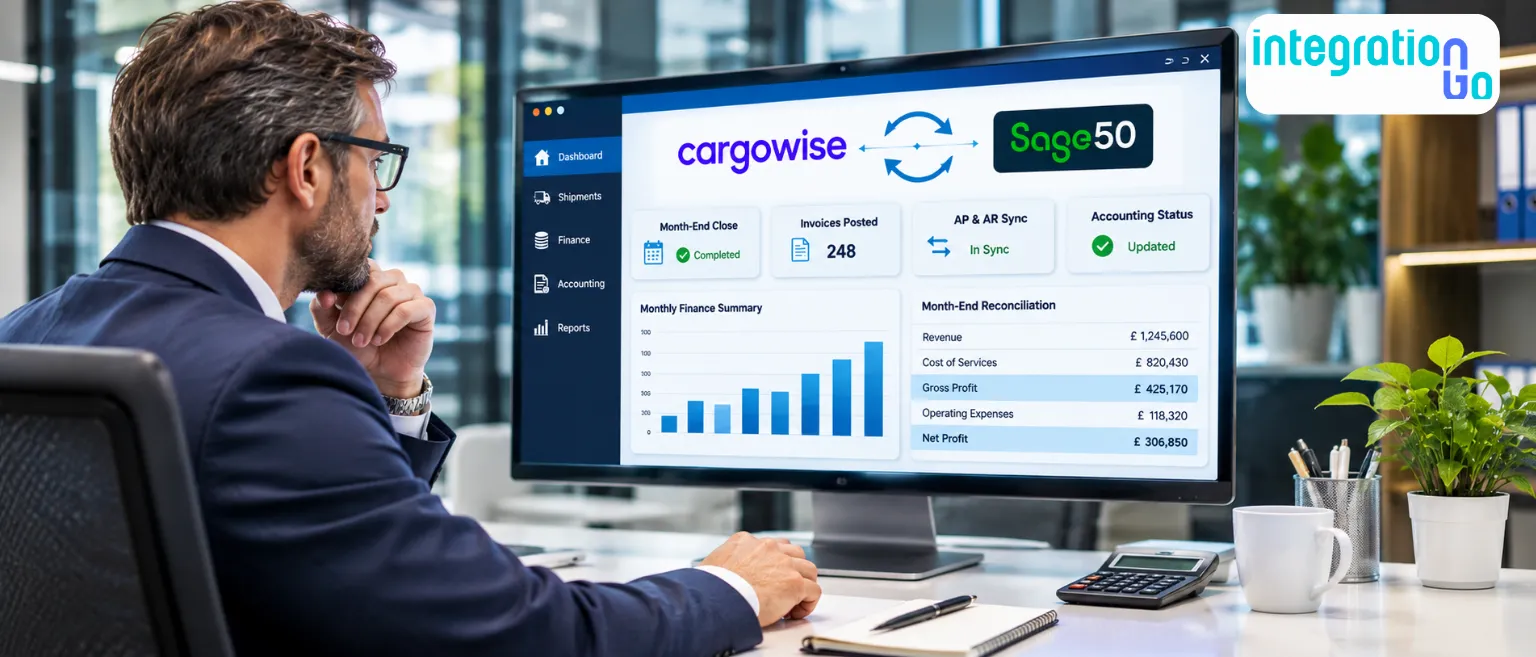
Instead of exporting and entering the same financial information separately, CargoWise and Sage 50 integration creates a structured data exchange between them.
Here's how a typical workflow can operate.
Step 1: Transaction creation in CargoWise
Your team records a customer invoice, supplier cost, or other configured financial transaction against the relevant job.
Step 2: Data extraction and validation
The integration identifies the transaction and checks required information, such as customer or supplier references, invoice numbers, amounts, currencies, and account codes.
Step 3: Data mapping and transformation
The required fields are mapped to the corresponding Sage 50 structure. For example, a CargoWise charge code can be mapped to its designated Sage 50 nominal ledger account.
Where required, the integration can also apply agreed formatting, currency, and tax mapping rules.
Step 4: Transaction posting
The validated information is transferred through the configured Sage 50 interface. Depending on the implementation, this may involve creating sales invoices, purchase transactions, or other supported accounting entries.
Step 5: Exception handling
What happens if a transaction contains an invalid account code or missing supplier reference? Instead of allowing the issue to go unnoticed, the integration can flag the transaction for review. Failed transfers can be investigated and corrected before they are processed again.
This structured workflow reduces repeated data entry and gives your accounts team better control over how financial information moves between both systems.
What Changes When Your Accounting Data is Always Up to Date?
Now imagine reaching the final week of the month with the required financial transactions already transferred to Sage 50.
Your team isn't starting from scratch. Customer invoices and supplier transactions have been exchanged through the configured workflow, and relevant job references are available for review.
Instead of spending hours entering information and comparing records, your finance team can focus on the work that actually needs attention.
This makes a difference in several areas:
- Job profitability: Compare shipment revenue against recorded job costs and identify differences.
- WIP and accrual reviews: Review work in progress and estimated expenses against actual invoices, according to your accounting policies.
- Accounts reconciliation: Investigate unmatched invoices, supplier balances, and payment differences.
- General ledger accuracy: Maintain consistent account mapping and transaction classification.
- Financial reporting: Work with more complete accounting information when preparing monthly reports.
For management, this also means better visibility into shipment expenses, customer profitability, and outstanding financial commitments.
Integration doesn't remove the need for accounting reviews or guarantee that every transaction is correct. It helps your team spend less time transferring data and more time checking the financial information.
What should Your Team Review Before Closing the Month?
Even when CargoWise and Sage 50 are integrated, your accounts team still needs to make sure all the important transactions are accounted for.
Start with completed shipments. Have all billable jobs been invoiced? Are supplier invoices matched with the correct job? Have additional charges, unbilled revenue, and outstanding expenses been reviewed?
Next, check the accounting records. Are customer and supplier balances correct? Have unmatched payments, credit notes, and duplicate transactions been investigated?
Finally, review the integration exceptions. A transaction that failed because of a missing account code or incorrect mapping should be corrected and processed according to the agreed workflow.
These checks help your team identify gaps before the closing process is finalized, rather than spending the last few days of the month tracking down missing information.
How can IntegrationGo Simplify Your CargoWise and Sage 50 Integration?
Every freight forwarding business has its own accounting requirements. Your charge codes, currencies, tax rules, consolidation costing methods, and invoice processes all influence how the integration should work.
At IntegrationGo, we start by understanding how your team manages financial transactions in CargoWise and Sage 50. We then act as the middleware between both systems, managing the data exchange, validating information, mapping financial fields, and transferring the required records to the appropriate system.
We then identify the required data, map operational charges to the appropriate accounting fields, and configure the integration workflow around your business requirements.
The implementation also involves testing real transaction scenarios, including customer invoices, supplier bills, account mapping, missing information, and failed transfers. This helps identify issues before the integration becomes part of your daily operations.
Our focus is to build a practical, maintainable integration that supports consistent financial data exchange and reduces repetitive work for your accounts team.
Make Your Month-End Accounting Easier for Your Team
Month-end accounting will always require careful reviews, but your finance team shouldn't have to spend days transferring invoices, checking the same figures twice, and chasing missing information.
CargoWise and Sage 50 integration can help reduce manual data entry, improve financial consistency, and make reconciliation easier to manage.
Ready to simplify your accounting workflow? Contact us to discuss your Sage 50 integration requirements and discover how IntegrationGo's CargoWise Integration can support your financial operations.