
Your shipment is complete, the charges are finalized, and your finance team is ready to send the invoice. But is that invoice ready to be processed electronically by your customer?
Since January 1, 2026, Belgium has required structured electronic invoicing for covered domestic business-to-business (B2B) transactions between businesses subject to VAT. A PDF sent by email alone does not satisfy the requirement for transactions covered by the mandate.
For freight forwarders using CargoWise, the challenge goes beyond sending an electronic invoice. Customer details, VAT information, invoice references, and supplier records must all support the required workflow. The right integration can help connect these processes and reduce repetitive data entry.
What are Belgium’s E-Invoicing Requirements for CargoWise Users?
Belgium’s mandate requires structured electronic invoices for covered domestic B2B transactions. These invoices must comply with the European EN 16931 standard and, as the default approach, use the PEPPOL BIS format for electronic exchange.
Unlike a regular PDF, a structured invoice contains data that compatible business systems can read and process.
For freight forwarders, this can affect customer billing, supplier invoices, VAT treatment, and shipment-related financial records. Businesses need a suitable solution that supports sending and receiving structured electronic invoices.
How does CargoWise connects to Belgium’s PEPPOL Network?
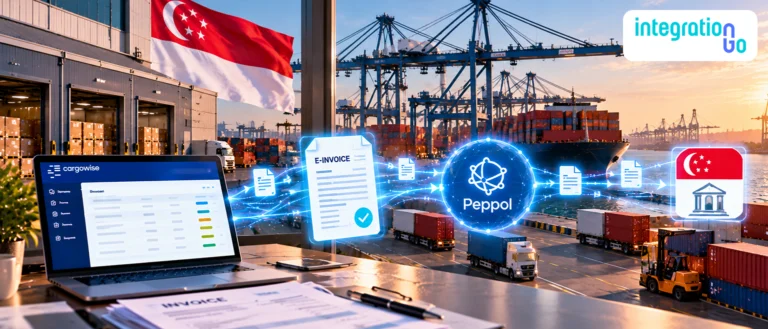
PEPPOL is a network that allows connected businesses to exchange standardized electronic documents through approved service providers, commonly called Access Points.
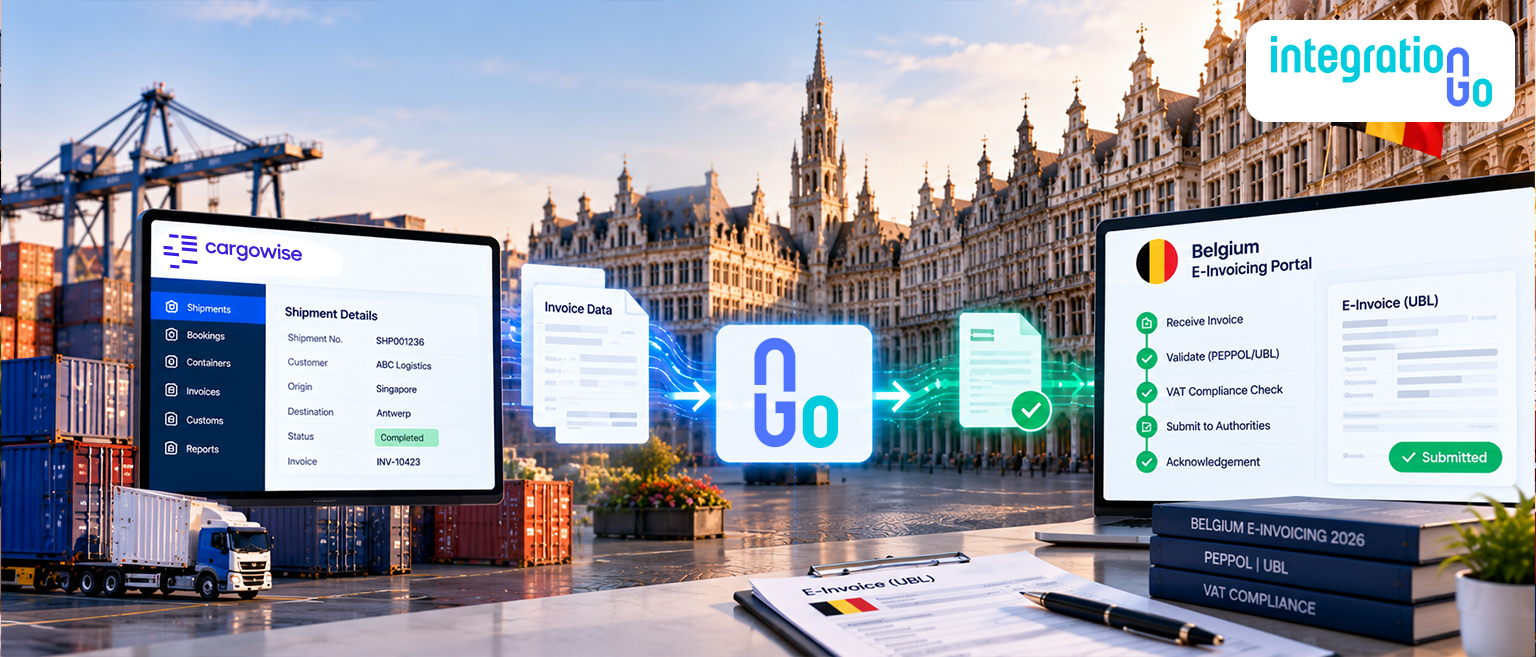
A typical invoice workflow looks like this:
CargoWise → Data mapping and validation → Connected e-invoicing solution → PEPPOL network → Customer’s system
For example, your team prepares a customer invoice in CargoWise. The relevant invoice data is passed to a compatible e-invoicing solution, which prepares and sends the structured invoice through its PEPPOL connection.
The connection needs to support the required invoice format, accurate recipient identification, and appropriate handling of transmission results.
CargoWise users should confirm which e-invoicing functions their current environment supports, including whether outgoing and incoming invoices are both covered. Belgium’s official guidance recommends checking that the selected software supports both sending and receiving structured invoices.
What should You Check Before Enabling E-Invoicing in CargoWise?
A successful setup depends on more than connecting two systems. The invoice data and finance configuration must also be correct.
Company and branch VAT details: Review the relevant Belgian VAT registration information and company records. Missing or inconsistent details can affect invoice preparation.
Customer identification: Check that customer records contain accurate business identifiers and the information required by the connected e-invoicing solution. The recipient must be identifiable through the supported electronic invoicing arrangement.
Invoice references: Confirm that invoice numbers, dates, customer references, and other required fields are available and mapped correctly. If a customer requires a purchase order reference, establish how that information will be captured.
VAT and exemption information: Review tax codes, exemption reasons, and the treatment of different charges. Freight invoices may include several charge types, so finance teams should confirm the correct treatment with their tax adviser where necessary.
Error notifications: Establish how failed transfers, missing data, and validation errors will be identified and investigated. Your team should know which invoices need attention instead of assuming every invoice was delivered successfully.
The exact settings depend on the CargoWise release, company configuration, and connected e-invoicing solution. Verify product-specific requirements before making configuration changes.
How can CargoWise Users Manage Incoming Supplier Invoices?
Outgoing customer invoices are only one part of the process. Freight forwarders also receive invoices from transport providers, warehouses, subcontractors, and other suppliers.
For example, a transport provider sends an invoice containing charges for a completed shipment. Your finance team needs to review those charges, match them against expected costs or accruals, and process the invoice for payment.
A connected workflow can help bring structured supplier invoice data into the appropriate accounts payable process, where the systems support it.
Before enabling incoming e-invoicing, confirm:
- Whether your CargoWise environment supports the required supplier invoice receiving workflow.
- How incoming invoices are associated with the correct supplier and financial records.
- How finance teams review, reconcile, approve, and post invoices.
- How supporting documents and invoice records are retained.
CargoWise features and available processing options can vary by release and configuration. Confirm the functionality available in your environment rather than assuming that enabling outgoing e-invoicing automatically enables incoming invoice processing.
What can Go Wrong When Processing E-Invoices in CargoWise?
Even with a suitable e-invoicing solution, incorrect data or configuration can interrupt invoice processing. Here are some common problems and what your team should check.
Incorrect customer identifiers: Missing or inaccurate recipient details can prevent an invoice from reaching the intended business. Review customer records and confirm the required identification information.
Incomplete invoice data: Required fields or customer references may be missing. Check that the data passed from CargoWise matches the receiving solution’s requirements.
VAT configuration errors: Incorrect tax treatment can lead to validation issues or invoice corrections. Review the relevant tax settings and exemption information with your finance or tax team.
Failed or delayed transfers: An invoice may not reach its destination immediately. Peppol delivery and internal software processing can involve several stages, so check available status information and investigate prolonged delays with the relevant provider.
Supplier invoice processing delays: Receiving an invoice electronically does not automatically mean it has been reconciled, approved, or posted. Make sure the Accounts Payable team has a clear process for handling incoming invoices.
These checks help teams identify where a problem originates, in the source data, configuration, transfer process, or receiving system, rather than treating every failure as a network issue.
How can IntegrationGo Help Connect CargoWise to Belgium’s E-Invoicing Workflow?
A well-planned CargoWise eInvoicing Integration helps connect CargoWise with a compatible e-invoicing solution and supports the flow of invoice data between systems. IntegrationGo is middleware to manage data exchange based on the available interfaces and your business requirements.
For Belgium e-invoicing, this may involve mapping CargoWise invoice fields, transforming data into the required structure, validating information, monitoring transfers, and handling errors where supported.
The process starts with understanding your existing invoicing workflow and identifying the information that needs to move between systems. From there, the integration can be designed and tested around the supported interfaces, data requirements, and exception-handling process.
If your CargoWise environment already supports certain functions, the integration plan should account for them rather than duplicate them.
IntegrationGo helps connect systems and manage the agreed data flow. PEPPOL network access and regulatory compliance depend on the appropriate e-invoicing solution and the configuration of the overall workflow.
Prepare Your CargoWise Workflow for Belgium’s E-Invoicing Mandate
Belgium’s e-invoicing mandate makes structured invoice exchange an important part of finance operations for businesses handling covered domestic B2B transactions. For freight forwarders, preparation starts with accurate company and customer data, appropriate VAT configuration, a suitable PEPPOL-connected solution, and a clear process for both outgoing and incoming invoices.
Review your current CargoWise setup, identify gaps in your invoice data and workflows, and confirm that the connected solution supports the requirements applicable to your business.
Ready to connect CargoWise with your e-invoicing workflow? Contact us about an End to End CargoWise Integration tailored to your systems, invoice data, and freight forwarding operations.