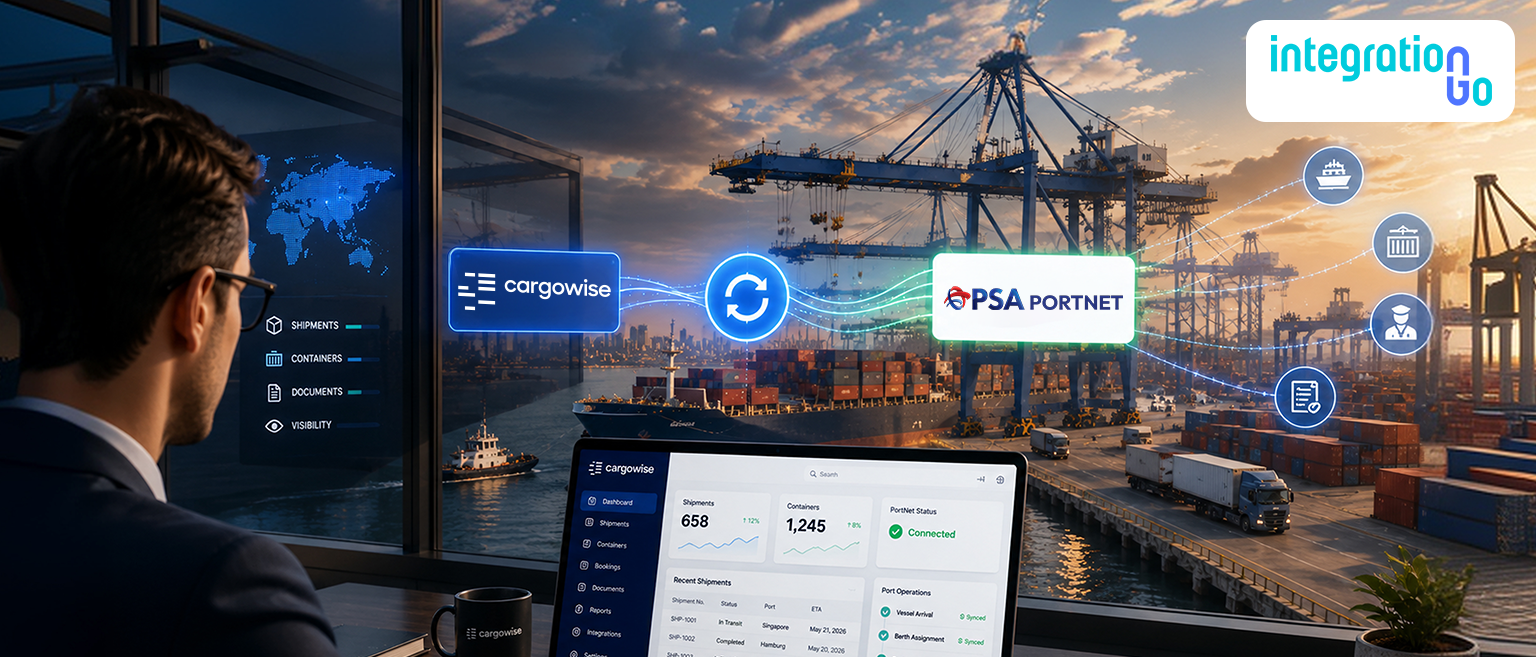

For a logistics team, moving a shipment through Morocco can mean managing shipment details in CargoWise while handling customs, foreign trade, and port processes through PortNet. When those systems aren't connected, the same information may have to be entered, checked, and updated more than once.
Integration CargoWise with PortNet through IntegrationGo can bring these workflows together, helping relevant shipment and customs information move between systems with less manual effort.
What is PortNet and How does it Support Customs and Port Operations?
PortNet is Morocco's national platform for digitizing and integrating foreign-trade procedures. Its foreign trade portal brings import and export procedures into a unified digital environment, while its port community system connects stakeholders across the maritime logistics chain.
For logistics businesses, PortNet supports a range of processes involving customs, imports and exports, vessel operations, maritime manifests, cargo, electronic documents, inspections, and port activities. Its Port Community System also provides shared data and traceability across participating stakeholders.
CargoWise handles another part of the journey by bringing shipment and operational information into the logistics workflow. Integrating the two allows businesses to link CargoWise shipment data with the relevant PortNet customs and port processes.
Why can Separate CargoWise and PortNet Workflows Create Extra Work?
Imagine a freight forwarder handling an import shipment the team has already entered the shipment, customer, container, cargo, and vessel information into CargoWise. When the same information is needed for a PortNet process, someone may have to find the record, copy the relevant details, enter them again, and then update the internal workflow.
That might be manageable for one shipment. Across dozens or hundreds of shipments, it becomes repetitive work.
There's also the risk of information getting out of sync. A container number, shipment reference, or customer detail entered differently in two systems can lead to additional checking and corrections.
Instead of making users move information back and forth, integration creates a single connected flow for the information that both processes need.
How can CargoWise and PortNet Work Together in a Real Logistics Workflow?
The value of integration becomes much easier to see through a real shipment workflow.
Suppose an import shipment is being managed in CargoWise. The relevant shipment and cargo information is already available there. When a PortNet process requires that information, IntegrationGo can help prepare and move the required data through the connected workflow.
A typical flow can look like this:
Shipment Information in CargoWise
↓
Data Validation
↓
IntegrationGo Middleware
↓
Data Mapping & Transformation
↓
PortNet Process
↓
Response / Status
↓
CargoWise Workflow
The exact information exchanged will depend on the specific PortNet service being connected. The important part is that the integration creates a controlled path between the logistics data in CargoWise and the applicable customs or port process in PortNet.
Instead of repeatedly copying information, the team can focus on managing the shipment.
Which CargoWise Information can be Used in PortNet Processes?
The integration should focus on the information required for the specific PortNet process rather than moving every piece of CargoWise data.
Depending on the workflow, this can include:
- Shipment and booking references
- Import or export details
- Shipper and consignee information
- Cargo details
- Container information
- Vessel and voyage details
- Manifest-related information
- Customs-related information
- Supporting document details
- Processing or response information
PortNet's official platform includes services covering customs declarations, import and export procedures, maritime manifests, vessel arrival, cargo operations, document submission, inspections, and other port-related processes.
This is where data mapping becomes important. Information stored in CargoWise may use different field names or structures from those required by PortNet. IntegrationGo can help establish how the relevant CargoWise information should be mapped and prepared for the connected process.
The goal is straightforward: move the right information from the right source to the right process.
How does IntegrationGo Integrate CargoWise with PortNet to Simplify Customs and Port Workflows?
IntegrationGo acts as the middleware between CargoWise and the applicable PortNet workflow.
The connection can be viewed simply:
CargoWise
Shipment and logistics data
↓
IntegrationGo
Validation → Mapping → Transformation → Data Exchange
↓
PortNet
Customs, foreign-trade, and port processes
IntegrationGo can help validate relevant information before exchange, map CargoWise fields to the required structure, transform data when necessary, and manage responses from the connected process.
This means businesses don't have to replace their existing CargoWise workflow to connect with PortNet. IntegrationGo provides the bridge between the two environments.
For logistics teams, that can mean less duplicate entry, more consistent information, and a clearer flow between shipment operations and customs or port processes.
How can Integrating CargoWise and PortNet Reduce the Need to Manage Multiple Software Systems?
Logistics teams don't necessarily need more software. Often, they need the systems they already use to work together better.
When CargoWise and PortNet are connected through IntegrationGo, relevant information can move between the two environments instead of requiring users to repeatedly switch platforms and enter the same details.
The team can continue managing the shipment in CargoWise while the integration handles the movement of relevant information into the PortNet process. Responses can then flow back into the connected workflow.
The point isn't that CargoWise replaces PortNet. Each system continues to handle the processes it was designed for.
The difference is that users no longer have to treat them as completely separate workflows:
CargoWise → IntegrationGo → PortNet → Response → CargoWise
That can make day-to-day operations feel much simpler while reducing the amount of manual work required to keep information aligned.
What should Businesses Prepare Before Integrating CargoWise with PortNet?
A successful integration starts with the business process, not just the technology. Businesses should first identify which PortNet processes need to connect with CargoWise. From there, teams can review the information already available in CargoWise, identify the data required by PortNet, and define how the fields should be mapped.
The integration can then be tested using real logistics scenarios rather than only a simple ideal transaction.
A practical preparation path is:
Identify the Process → Review the Data → Define the Mapping → Build the Integration → Test → Monitor
Testing should cover the transactions the team handles regularly and confirm that information moves correctly between the systems.
That keeps the integration focused on the actual logistics workflow instead of creating another manual process for employees to manage.
Conclusion
CargoWise and PortNet support different parts of the logistics and customs journey, but connecting them can make information much easier to manage.
With IntegrationGo as the middleware, businesses can create an end-to-end CargoWise and PortNet integration that connects shipment data, customs and port processes, validation, data exchange, and responses.
Looking to simplify your CargoWise and PortNet workflow? Contact us to discuss an integration built around your logistics and customs operations.