
Electronic invoicing is changing what it means to issue a customer invoice. A document that once needed to be prepared and sent now has to meet specific tax, data, and reporting requirements before it can be considered compliant.
For freight forwarders operating in the Dominican Republic, the DGII's e-CF framework brings these requirements directly into the billing process. And if your finance team uses CargoWise, understanding how electronic invoice reporting fits into your existing workflows is an important step.
Let's explore how CargoWise E-Invoicing Integration supports DGII reporting, the configurations worth reviewing, and how logistics businesses can prepare for the transition.
What is Dominican Republic E-Invoicing, and How does CargoWise Support DGII Requirements?
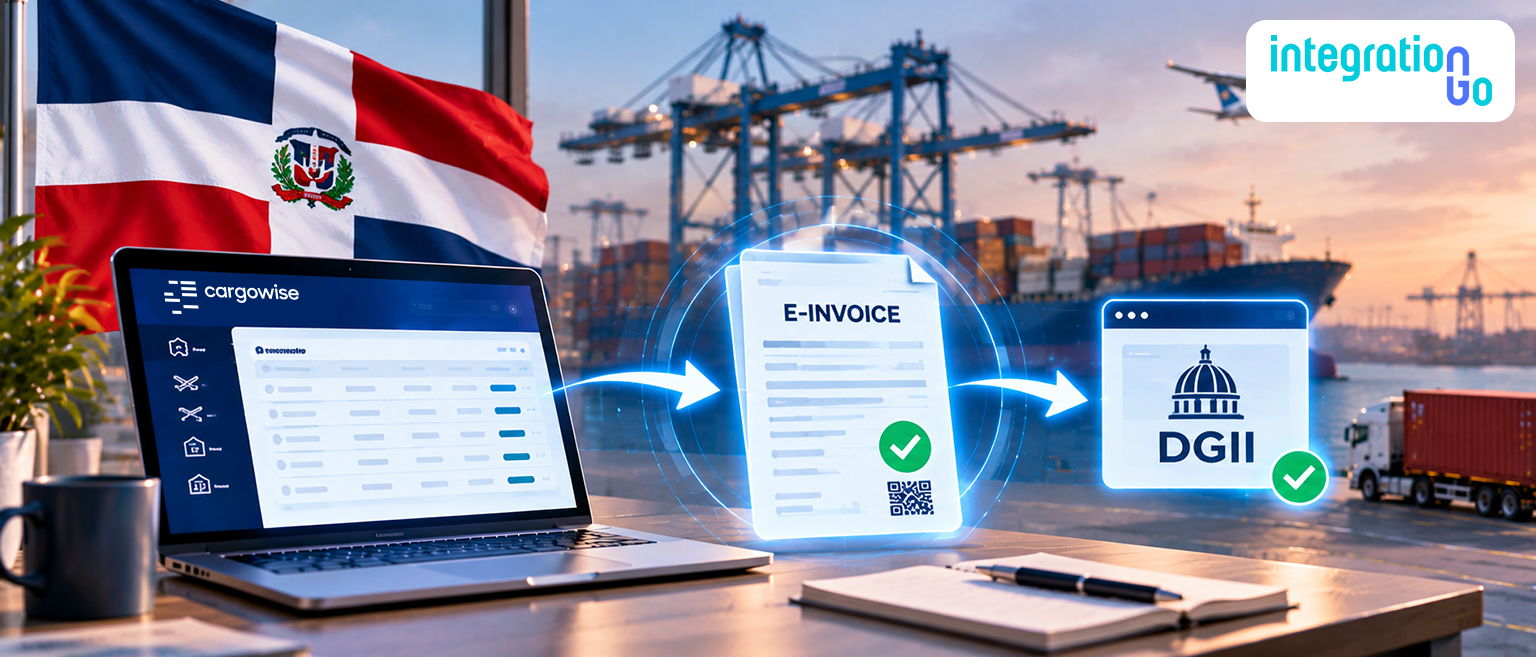
The Dominican Republic uses Comprobantes Fiscales Electrónicos (e-CF), structured electronic fiscal documents issued under the requirements of the Dirección General de Impuestos Internos (DGII), the country's tax authority.
Unlike a regular PDF invoice sent by email, an e-CF must follow the required electronic format and pass through the applicable validation and authorization process.
CargoWise supports eligible accounts receivable invoices and credit notes through its E-Reporting and E-Invoicing functionality. The process uses an Authorized Certification Provider (PAC) to report the relevant transaction information to the DGII.
For freight forwarders, this creates a link between their existing billing activities in CargoWise and the country's electronic tax reporting requirements.
However, successful reporting depends on more than enabling the functionality. Company details, customer records, fiscal numbering, and invoice structures all need to be reviewed.
Why should Freight Forwarders Review their CargoWise Finance Setup?
Freight forwarding invoices can include several charges, from ocean freight and customs clearance to handling and inland transportation. If the information behind these charges is incomplete or incorrectly configured, electronic reporting may run into validation issues.
Before implementation, finance teams should review a few important areas:
- Organization details: Check that company, branch, and customer information is accurate.
- Fiscal document numbering: Confirm that the required e-NCF sequences are available and correctly configured.
- Invoice structure: Review charge lines and identify transactions that may need adjustments.
- Credit note handling: Make sure credit notes include the required reference to their original invoices.
- Error notifications: Decide who should receive and investigate unsuccessful submissions.
Reviewing these areas early can help your team identify configuration gaps before they affect everyday billing activities.
How do RNC Details and e-NCF Numbers Affect Invoice Processing?
Two important details in Dominican Republic e-invoicing are the Registro Nacional de Contribuyentes (RNC) and the Número de Comprobante Fiscal Electrónico (e-NCF).
The RNC identifies a taxpayer registered in the Dominican Republic. CargoWise uses the relevant company, branch, and customer organization information when preparing electronic invoice data. Incorrect or missing registration details can create problems during validation.
The e-NCF is the fiscal number assigned to an electronic tax document. It follows a 13-character structure and identifies the type of electronic document and its sequence.
The electronic document categories include:
- TEI: Electronic Tax Credit Invoice
- TEF: Electronic Consumer Invoice
- TEG: Electronic Government Invoice
- TES: Electronic Special Regime Invoice
- TEC: Electronic Credit Note
- TED: Electronic Debit Note
Each category has its own requirements. The supplied CargoWise reference guide explains that businesses use Compliance Invoice Books to manage the relevant e-NCF sequences.
For freight forwarders, the important thing is to make sure the correct fiscal sequence is available and assigned before processing eligible invoices electronically.
What Invoice Rules should Logistics Finance Teams Check?
Freight forwarding invoices often contain multiple charge lines and adjustments. Some of these billing practices may need to be reviewed before electronic reporting begins.
The CargoWise reference guide identifies three areas that deserve particular attention.
Negative charge lines
The guide states that the described DGII reporting workflow does not accept accounts receivable transactions containing negative charge lines. If your team uses negative amounts to correct billing, review how those adjustments should be handled.
Credit notes and original invoice references
When a customer is overcharged or an invoice needs correction, the finance team may issue a credit note. The original invoice reference must be included where required. CargoWise provides a configuration control to require the relevant original invoice details.
Invoice charge-line limits
The guide identifies a maximum of 100 charge lines per accounts receivable transaction for the described workflow. Businesses that issue consolidated invoices should review their billing structure and the available invoice-splitting configuration.
These requirements make it important to assess existing billing practices rather than assuming every transaction can be reported without changes.
How can CargoWise Help Teams Track Invoice Submissions?
Submitting an electronic invoice is only one part of the process. Finance teams also need to know whether it was successfully processed or requires attention.
The CargoWise guide describes a dedicated Dominican Republic electronic invoice processing task for eligible accounts receivable invoices and credit notes. It also outlines error notifications that can alert designated users when reporting is unsuccessful.
A practical exception-handling process should include:
- Identifying who receives submission failure notifications.
- Reviewing why a transaction was unsuccessful.
- Correcting missing or inaccurate information.
- Following the appropriate resubmission or resolution process.
- Tracking outstanding issues until they are resolved.
For freight forwarders handling a high volume of invoices, this visibility helps prevent reporting issues from going unnoticed and creating additional work for the finance team.
What Happens After an Electronic Invoice is Authorized?
Once an electronic invoice is successfully authorized, the supporting document needs to remain accessible to the finance team.
According to the supplied CargoWise guide, the PAC provides a PDF invoice containing the required DGII information. After successful authorization, this document is automatically attached to the transaction's eDocs.
After an electronic invoice is authorized, the corresponding invoice PDF is attached to the CargoWise transaction's eDocs. The document can include important fiscal details, such as:
- e-NCF number and document category
- Fiscal sequence expiry date, where applicable
- QR code and security information
- Digital signature date
- Invoice amounts and customer-facing details
Keeping these details available alongside the CargoWise transaction makes it easier for finance teams to retrieve the relevant invoice information when customers request it.
Why is Testing and Internal Activation Important Before Go-Live?
Completing the visible system configuration does not necessarily mean your business is ready to submit live electronic invoices.
The supplied CargoWise guide explains that the relevant login company also requires internal configuration by the CargoWise Product Team. Businesses must submit an eRequest for the required setup in their test, training, or production environment.
Before moving into production, your team should:
- Review company and customer registration details.
- Check e-NCF sequences and document categories.
- Test eligible invoices and credit notes.
- Review charge restrictions and invoice line limits.
- Confirm that error notifications reach the right users.
- Verify that authorized invoice documents are attached correctly.
- Confirm the required internal activation with the appropriate CargoWise support team.
Allow enough time for configuration, testing, and issue resolution. A proper review before go-live can help avoid unnecessary disruption to your finance operations.
How can IntegrationGo Support Your CargoWise E-Invoicing Preparation?
Preparing for Dominican Republic e-invoicing involves more than configuring a few settings. Your finance team needs to understand how invoice data is created, checked, reported, and managed when something goes wrong.
IntegrationGo helps freight forwarders assess their CargoWise integration requirements and plan workflows around their operational and financial processes.
Our team can help you review existing billing workflows, assess data requirements, plan information exchange with relevant external services, and identify potential gaps before implementation.
We can also help evaluate testing requirements and exception-handling processes so your team has a clearer approach to managing reporting issues.
Every freight forwarding business has its own billing practices. The goal is to plan an integration that supports your actual workflows while accounting for the applicable requirements.
Is Your CargoWise Setup Ready for Dominican Republic E-Invoicing?
DGII e-invoicing brings new considerations for how freight forwarders prepare, report, and manage customer invoices. Accurate taxpayer details, valid e-NCF sequences, compliant invoice structures, and effective error handling all play a part.
Getting these areas right before go-live can help your finance team avoid unnecessary rework and manage electronic reporting with greater confidence.
Planning your Dominican Republic e-invoicing requirements? Contact us about your End-to-End CargoWise integration needs. Our team can help assess your workflows, plan the right integration approach, and prepare your CargoWise environment for the next step.