
Your shipment data is already in CargoWise. So why is your team still entering the same information into other systems?
Disconnected workflows often lead to repeated data entry, delayed updates, and extra manual work. CargoWise API integration helps different business applications exchange information automatically, making everyday freight forwarding operations smoother.
Let's explore how it works, 11 practical use cases, and what to consider before starting an integration project.
What is CargoWise API Integration, and How does it Work?
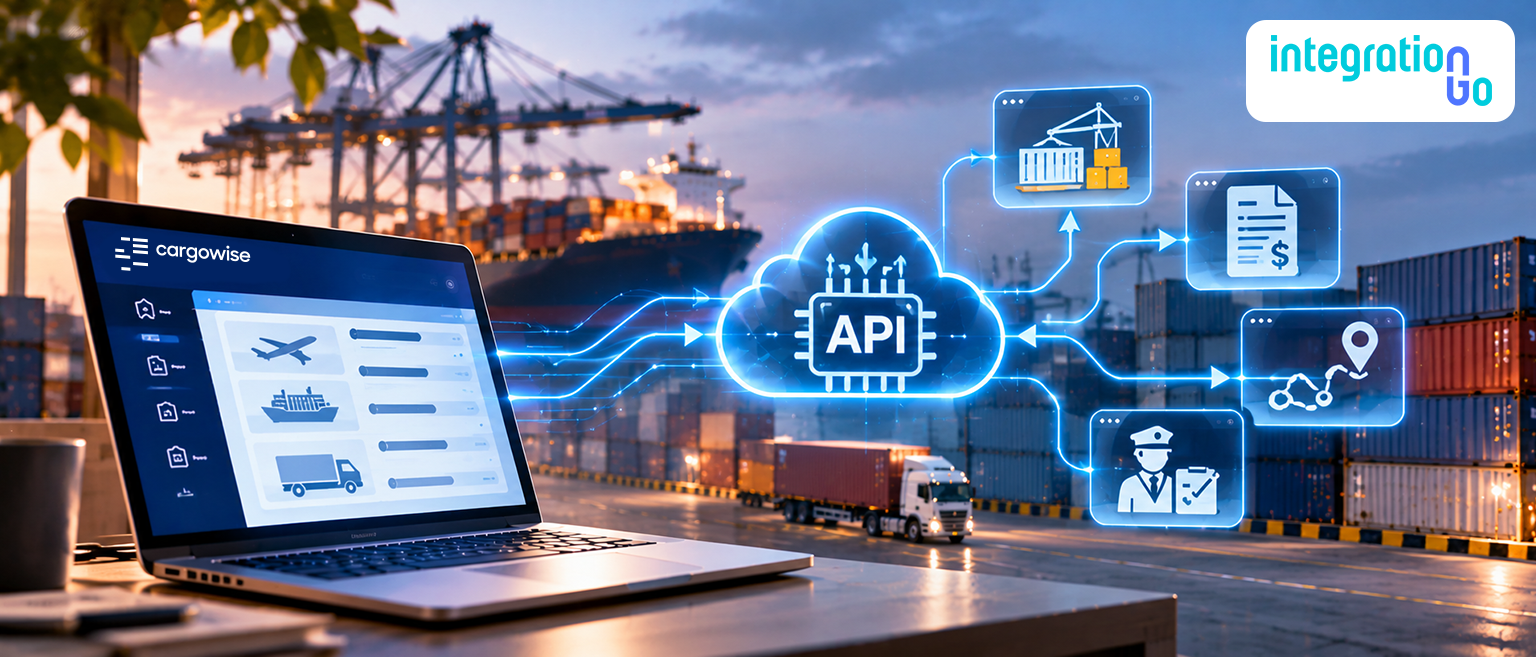
Think of an API as a way for two business systems to communicate. Instead of someone copying shipment details from one application and entering them into another, an API allows the systems to exchange information based on defined rules.
CargoWise supports system integration through technologies such as eAdaptor Next and Universal XML. These provide structured ways for external applications to exchange information with CargoWise. Depending on the configuration, data can be sent into CargoWise, existing records can be queried or updated, and configured workflow events can send information out to other systems.
Here's a simple example.
A customer submits a shipment order through its own business platform. An integration can receive the order details, map the information into the required CargoWise format, and submit it for processing. Later, when the shipment reaches a configured milestone, the integration can share that update with the customer's tracking portal.
The result? Less manual data entry and fewer disconnected steps.
The important thing to remember is that an API doesn't automatically understand every business process. The data fields, mapping rules, permissions, and workflows still need to be configured correctly.
Why do Freight Forwarders Need CargoWise API Integration?
Freight forwarding involves a lot of moving parts. Orders, bookings, shipment records, documents, customs information, and financial transactions all need to work together.
When the systems handling these activities operate separately, your team becomes the middleman.
Here are some common problems. API integration can help address:
- Repeated data entry: Stop making employees enter the same shipment or customer information into multiple applications.
- Delayed updates: Share configured shipment events with customer portals and connected systems.
- Disconnected information: Keep relevant operational records aligned across CargoWise and other business applications.
- Document handling: Reduce the manual effort involved in transferring and attaching shipment documents.
- Growing workloads: Automate repetitive information exchange as shipment volumes increase.
The goal isn't to automate everything. It's to remove the unnecessary work that slows your team down and makes information harder to manage.
11 CargoWise API Integration Use Cases that Support Everyday Freight Operations
Every freight forwarder has different integration requirements. Some need to automate customer orders, while others want better shipment visibility or fewer manual document uploads.
Here are 11 practical integration use cases and where they can make a difference.
1. Order Creation and Update Integration
When customers send shipment orders from their own systems, your team shouldn't have to enter every detail into CargoWise again.
An order integration can transfer customer references, cargo details, routing information, and other required data. It can also support updates when order information changes.
Useful for: Freight forwarders receiving high volumes of customer orders.
2. Booking Creation and Update Integration
Booking details can change as shipment plans develop. An integration can exchange booking information between CargoWise and external booking platforms, helping teams keep schedules and references aligned.
Useful for: Businesses managing bookings across multiple platforms.
3. Shipment Creation and Update Integration
Once an order moves into shipment processing, the relevant information needs to stay consistent. A shipment integration can create or update shipment records and exchange the required details with connected applications.
Useful for: Freight forwarders managing shipments across different transport modes.
4. Consolidation Integration
Handling multiple shipments under a consolidation can involve plenty of coordination. An integration can exchange shipment and consolidation information, reducing the need for repetitive updates between systems.
Useful for: NVOCCs and freight forwarders managing regular LCL and co-load operations.
5. House Bill Number Integration
House Bill of Lading numbers are important references across shipping documents and customer communication. An integration can transfer or update HBL information in connected applications, helping teams maintain consistent references.
Useful for: Freight forwarders and NVOCCs managing multiple house bills.
6. Consignor and Consignee Data Integration
Incorrect party details can cause issues across shipment documentation and customs-related workflows. Integrating consignor and consignee information helps keep relevant records aligned between CargoWise and connected systems.
Useful for: Businesses exchanging party information with customer, compliance, or operational platforms.
7. Shipment Milestone Integration
Has the shipment departed? Has it arrived? Is it customs-cleared or delivered?
A milestone integration can share configured shipment events with customer portals and other applications. Instead of manually updating customers every time something changes, your team can make relevant status information available through connected systems.
Useful for: Freight forwarders looking to improve customer communication and shipment visibility.
8. Customs Data Integration
Customs workflows depend on accurate shipment, commodity, and party information. An integration can exchange relevant customs fields with authorized external applications, helping reduce duplicate data entry and inconsistencies.
Useful for: Freight forwarders coordinating customs information across connected systems.
9. Document Upload Integration
Commercial invoices, packing lists, and Bills of Lading all need to reach the right shipment record. A document integration can transfer files and their associated information into the appropriate CargoWise document workflow.
Useful for: Document-heavy import and export operations.
10. Job Management Integration
Shipment events tell you what happened at a particular point in the journey. Job management focuses on keeping broader job information aligned across connected applications.
Depending on the requirements, this can include job references, operational details, and relevant status information.
Useful for: Businesses that need consistent job information across multiple systems.
11. Shipment Tracking Integration
Customers want to know where their cargo is without calling your operations team for every update.
A tracking integration can share available tracking events and shipment information with customer portals or visibility platforms. The information displayed depends on the connected tracking sources and the scope of the integration.
Useful for: Freight forwarders building customer-facing tracking portals or centralized visibility workflows.
Shipment Events vs. Job Records: Why do Both Matter?
These two integration use cases can sound similar, but they serve different purposes.
A shipment milestone integration focuses on individual events, such as departure, arrival, customs clearance, or delivery. It helps external systems receive updates when configured events occur.
A job management integration focuses on broader job information. It helps keep relevant shipment and operational records aligned across connected applications.
For example, when a shipment arrives at its destination, a milestone update can notify the customer's tracking portal. At the same time, the wider job record may need to reflect the latest operational information.
One keeps people informed about what's happening. The other helps systems maintain a consistent view of the job. Depending on your workflow, you may need both.
What should You Consider Before Starting a CargoWise API Integration Project?
Choosing an API capability is only the starting point. Before building an integration, you need to understand how information moves through your business and what each connected system is expected to do.
A few things deserve attention before development begins:
1. Map your current workflows.
Identify where your team manually enters, updates, or shares information. Start with the processes that take the most time or create recurring errors.
2. Decide what data needs to move.
Do you need to exchange customer orders, booking details, shipment records, documents, or tracking events? Define what information each system needs and whether it should move in one or both directions.
3. Get the field mapping right.
CargoWise and external applications may use different field names, formats, or data structures. Map these fields carefully so information reaches the correct records.
4. Plan security and access
Confirm that authentication, permissions, and data access are configured appropriately for the integration.
5. Test before going live
Test more than successful transactions. Check missing information, duplicate messages, failed updates, and unexpected changes. It's better to catch these issues before they affect live shipments.
6. Monitor the connection.
An integration needs ongoing attention. Your team should be able to identify failed messages, investigate exceptions, and understand when information needs to be processed again.
One more thing: if your business currently relies on legacy eAdaptor connections, review the move toward eAdaptor Next with your CargoWise provider or integration partner. The newer gateway introduces updated security and authentication capabilities. Assess your existing integrations and confirm the applicable migration timeline before planning any changes.
How IntegrationGo Helps Freight Forwarders Plan CargoWise API Integrations?
Building a CargoWise integration isn't just about making two systems exchange data. The information needs to arrive in the right format, reach the correct record, and support the way your team handles shipments.
That's where IntegrationGo can help.
We work with freight forwarders to understand their operational requirements and plan CargoWise integration workflows around the way their business operates.
The approach includes:
- Workflow mapping: Identify how orders, bookings, shipments, and other records move through your business.
- Data mapping and transformation: Align information between CargoWise and external applications.
- Automated data exchange: Reduce repetitive manual updates through appropriately designed integrations.
- Error handling: Define how missing information, failed messages, and processing exceptions should be managed.
- Integration planning: Consider how your connections can support changing operational requirements.
Whether you want to automate order creation, improve shipment visibility, exchange documents, or synchronize operational data, start by identifying the processes that need attention.
The right integration should fit your workflow, not force your team to work around another complicated system.
Build Better Connections Around Your CargoWise Operations
CargoWise already holds much of the information your freight forwarding team needs. The challenge is making that information available to the other systems involved in your daily operations.
From order creation and shipment updates to consolidation, document exchange, customs information, and tracking, API integrations can help reduce manual work and improve data consistency across connected workflows.
But you don't need all 11 integration capabilities at once. Start with the processes that create the most manual effort for your team. Identify where information gets delayed, choose the right integration approach, and build from there.
Ready to make your CargoWise workflows work better together? Contact us about your integration requirements. We'll help you identify the right approach to End-to-End CargoWise Integration so your systems can exchange information more effectively and your team can spend less time managing repetitive tasks and more time moving shipments forward.