
Today’s logistics operations depend on multiple platforms for shipments, finance, warehouse management, customs, and customer visibility. But when these systems work separately, teams face manual data entry, delays, and disconnected workflows.
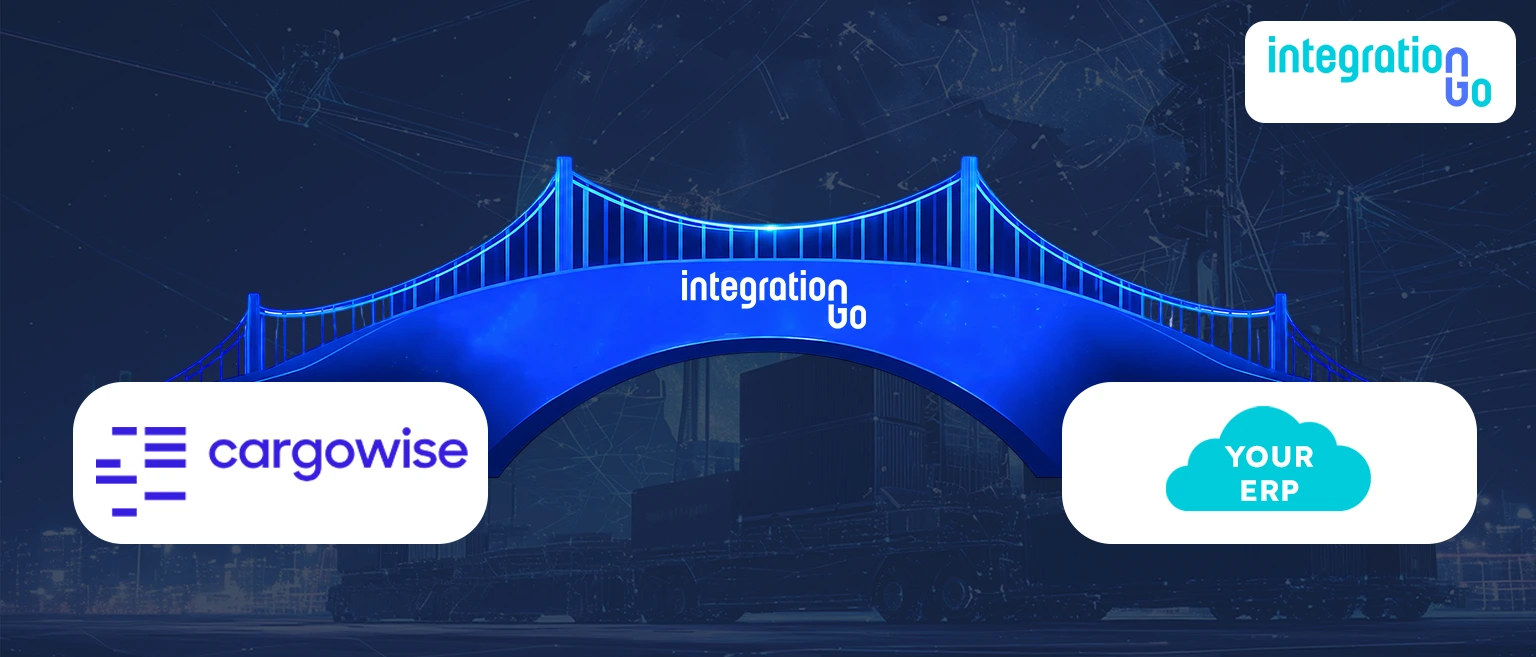
This is where IntegrationGo acts as a middleware layer, integrating CargoWise systems to enable secure data exchange, automation, and real-time visibility across the supply chain ecosystem.
What is Middleware Integration and Why does Modern Logistics Need it?
Middleware integration is the technology layer that helps different software applications communicate and exchange information without requiring teams to manually move data between systems.
Think of it as the connection point between different business platforms. Instead of every system operating separately, middleware allows information to flow automatically across multiple applications.
For logistics businesses, this connection is extremely important because daily operations involve multiple systems managing different responsibilities.
A shipment journey may include:
- CargoWise systems manage freight operations
- Warehouse platforms handling inventory movement
- Customs systems managing compliance documentation
- Finance applications process invoices and payments
- Visibility platforms providing shipment updates
Without middleware, these systems create isolated workflows where teams spend more time transferring information instead of managing operations.
Middleware integration creates a connected environment where every system can communicate, helping logistics teams improve speed, accuracy, and operational control.
The Challenge of Disconnected CargoWise System
Modern logistics businesses depend on specialized technology. A single shipment can create information across transportation, warehouse, customs, finance, and customer management systems.
The problem begins when these systems cannot share information automatically.
For example, shipment information may exist in CargoWise, but invoice details might need to be entered separately into a financial system. A warehouse update may happen instantly, but customer-facing teams might receive the information later.
These disconnected processes create challenges such as:
- Duplicate data entry
- Delayed shipment updates
- Manual invoice reconciliation
- Limited operational visibility
- Communication gaps between teams
- Increased risk of data errors
As logistics operations scale, these small inefficiencies become larger workflow problems.
Connected systems help businesses remove these barriers and keep information moving across the entire operation.
How IntegrationGo Creates an Integrated Layer Across CargoWise?
IntegrationGo helps logistics businesses connect their existing applications instead of replacing them.
Many organizations already use powerful systems, but the real challenge is making those platforms work together. IntegrationGo creates the connection layer that enables smooth communication across different logistics and enterprise applications.
IntegrationGo supports integrations with platforms such as:
- CargoWise
- Customs software
- Financial Software
- Custom in-house systems
IntegrationGo combines deep logistics knowledge and technical expertise to understand the challenges businesses face when connecting complex systems and automating data workflows.
From freight visibility to finance automation, IntegrationGo helps businesses create secure, scalable, and intelligent integrations that reduce manual effort and improve real-time data availability.
How IntegrationGo Middleware Simplifies CargoWise Integration?
CargoWise system manages information differently. Different platforms have different formats, workflows, and communication methods.
IntegrationGo simplifies this complexity by allowing information to move between systems accurately.
The workflow becomes:
Business Application → IntegrationGo Middleware → Logistics ERP Platform
This allows different systems to exchange important operational information, including:
- Shipment details
- Booking information
- Customer data
- Inventory updates
- Tracking milestones
- Invoice records
- Financial transactions
- Operational documents
For example, when shipment details are updated in one logistics platform, IntegrationGo helps integrate that information with connected applications automatically.
Instead of teams copying information between systems, data flows through connected workflows, improving efficiency and reducing manual workload.
From Freight Visibility to Finance Automation: What Workflows can IntegrationGo Integrate?
Every logistics business has different integration needs. Some require shipment visibility, while others need warehouse synchronization, customer connections, or financial automation.
IntegrationGo helps connect multiple areas across the supply chain ecosystem.
Freight and Shipment Integration
Shipment operations require accurate information between carriers, customers, and internal teams.
IntegrationGo enables shipment data, tracking updates, milestones, and operational information to move between connected platforms.
This improves shipment visibility and helps teams make faster decisions.
Finance and Accounting Integration
Finance teams often handle large volumes of invoices, payments, and transaction data.
IntegrationGo connects logistics ERP systems with financial applications to support:
- Invoice automation
- Accounts payable workflows
- Accounts receivable processes
- Financial reporting accuracy
This reduces manual processing and improves financial visibility.
Warehouse and Inventory Integration
Warehouse operations depend on accurate stock and order information. IntegrationGo connects warehouse systems with logistics platforms to synchronize:
- Inventory updates
- Order processing information
- Stock movements
- Fulfillment activities
This keeps warehouse and transportation teams aligned.
Customs and Compliance Integration
International logistics involves multiple documentation and compliance requirements.
IntegrationGo helps connect customs workflows and documentation processes, improving information exchange across global trade operations.
Inside IntegrationGo’s Step-by-Step Process for Building Reliable System Integration
Successful integrations require more than connecting two platforms. They require a structured process that understands business workflows, technical requirements, and future scalability.
IntegrationGo follows a complete integration approach from planning to deployment.
Project Management
Every integration starts by understanding the business objectives, current challenges, expected outcomes, and implementation timeline.
This stage creates a clear project roadmap and ensures every integration requirement aligns with operational goals.
Requirements Analysis
The next step focuses on gathering business and technical requirements.
IntegrationGo analyzes how information should move between systems, including:
- Data requirements
- Business workflows
- System communication rules
- Automation opportunities
This helps design integrations that match real operational processes.
Environment Setup
After requirements are finalized, the integration environment is prepared.
This includes configuring:
- Required servers
- Communication channels
- CargoWise environments
- Integration connections
A properly configured environment ensures secure and reliable data exchange.
Development
The integration workflows are then built according to business requirements.
Development activities include:
- API integrations
- EDI connections
- eAdaptor configurations
- Data mapping
- Workflow automation setup
This stage ensures each connected system understands and processes information correctly.
Integration Testing
Before going live, IntegrationGo validates the complete data flow between systems.
Testing ensures:
- Information transfers correctly
- Connected workflows perform as expected
- Data accuracy is maintained
- Errors are identified and resolved
This reduces risks before production deployment.
Deployment
After successful testing, the integration is moved into the live environment. The deployment process focuses on maintaining business continuity while enabling connected workflows across systems.
Documentation
Complete documentation is provided for long-term support and future improvements.
Documentation includes:
- Integration architecture
- Data mapping references
- Workflow details
- Configuration guidelines
This helps businesses maintain and scale their integrations as operations grow.
Why Integrated Systems Create a Future-Ready Logistics ERP Ecosystem?
The future of logistics depends on how efficiently systems communicate. As shipment volumes grow and customer expectations increase, businesses need connected technology that can support faster and smarter operations.
IntegrationGo helps businesses achieve:
- Real-time operational visibility
- Reduced manual dependency
- Improved data accuracy
- Faster information exchange
- Better collaboration across teams
- Scalable integration capabilities
Instead of managing multiple disconnected systems, logistics businesses can create a digital ecosystem where applications work together.
Conclusion:
Modern logistics operations need more than advanced software; they need systems that communicate.
IntegrationGo helps bridge the gap between CargoWise, financial platforms, customs applications, and other business systems by creating connected workflows that improve automation and visibility.
With the right integration approach, businesses can reduce manual processes, improve decision-making, and build a stronger foundation for future supply chain growth. Schedule a demo today to discover how IntegrationGo can simplify your logistics integrations and create a connected ecosystem across your business applications.